How to organize recurring rent collection
Set up recurring rent charges in Nineflat, offer card or bank-transfer payment options, and track what has been paid. A step-by-step guide for landlords.
Chasing rent is the worst part of being a landlord. A tenant forgets, you send an awkward text, it arrives three days late, and next month you do it all again. Recurring charges, payment links, and scheduled reminders reduce repetitive follow-up while keeping the payment status visible in one place. Here is how to turn it on in Nineflat.
1. Choose how you want to get paid Open Settings → Receive payments setup. You enable one or more payment methods, and your tenant sees every active option and picks the one they prefer.
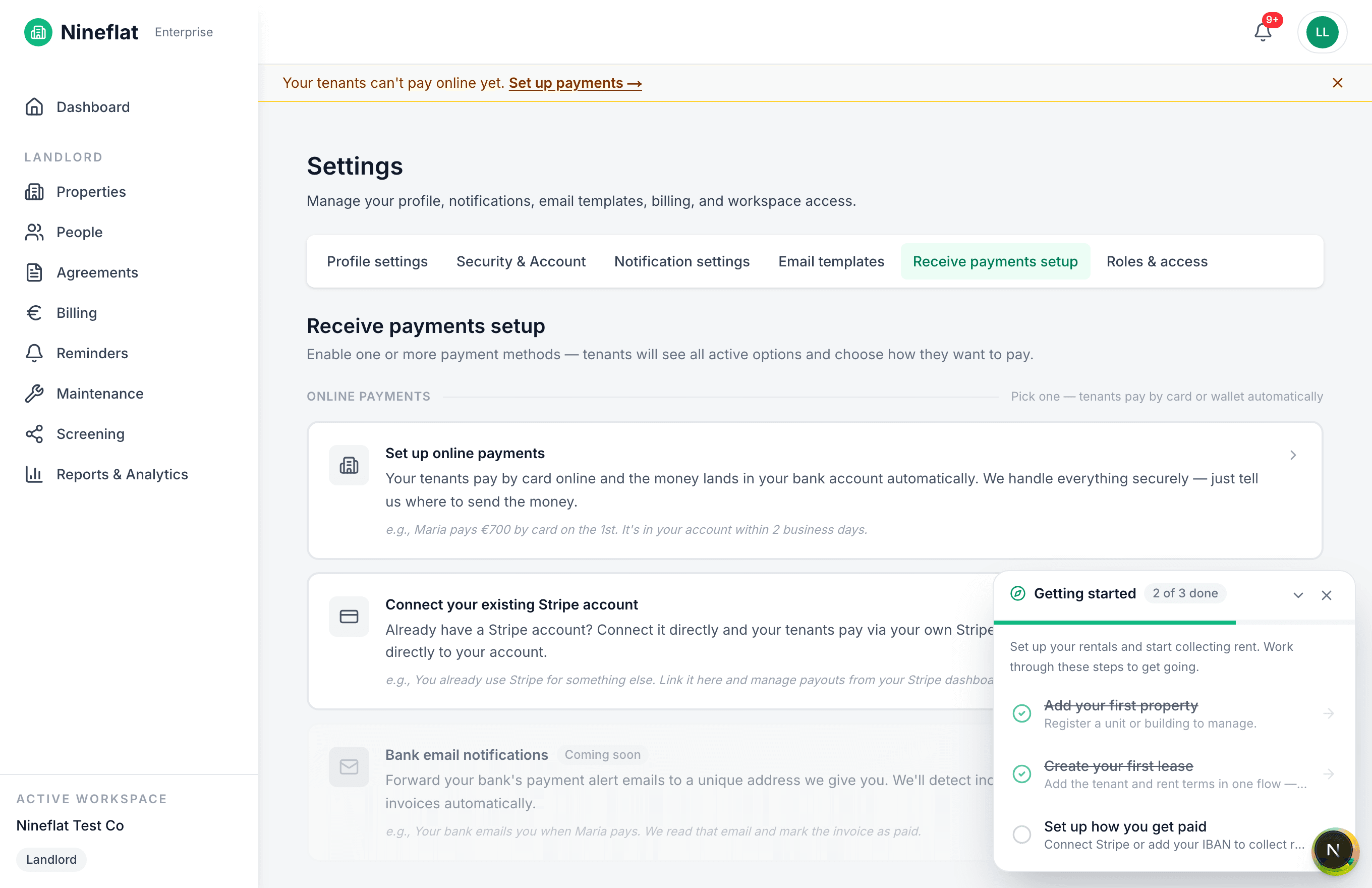
- Online payments (card). Tenants pay by card or wallet and the money lands in your bank account automatically under the payout schedule shown by your connected provider. Timing can vary, especially for first payouts. Nothing needs to be marked paid manually after the provider confirms the payment.
- Connect your existing Stripe account. Already use Stripe? Link it and payouts go directly to your own account.
- Bank transfer (SEPA / IBAN). Prefer plain transfers? Tenants get your IBAN and a reference. After the transfer reaches your bank, record or confirm it in Nineflat against the corresponding charge.
2. Add the rent terms once Each lease in Nineflat carries its rent amount, frequency, and due day. From those terms, Nineflat generates a recurring charge every period — you never re-type an invoice.
3. Track collection status The Billing page is your single source of truth: pending charges, what's collected this month, overdue rent, and net income after expenses — all in one view.
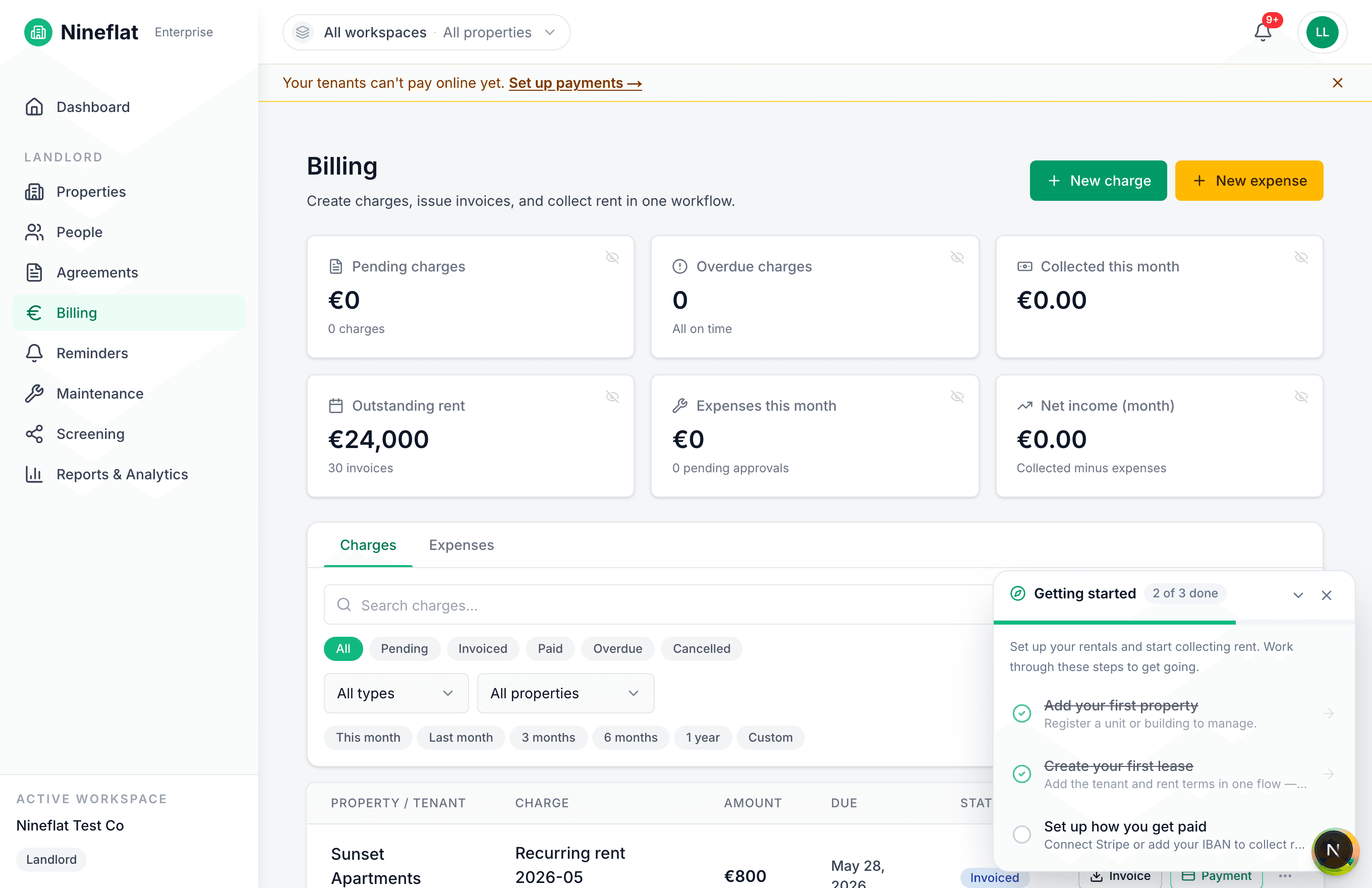
Provider-confirmed card payments update automatically. Manual transfers remain under your control and are marked after you confirm the money arrived.
What this actually saves you
- Fewer reminders by hand. Configure email reminders and, on eligible paid plans, SMS reminders around the due date.
- Clear payment status. Provider-confirmed card payments update directly; manual transfers remain explicit and auditable.
- A clean trail for your accountant. Every payment is receipted and exportable.
Ready to set it up? Add your property, create the lease, and connect a payment method. See pricing or start free.